

Create Your Christmas 2026 List
WishApp is a free Christmas wishlist app. Add gifts from any online shop, send your family one link, and they reserve what they'll buy so nobody doubles up.
4.9(1,000+ reviews worldwide)
It's always free
Rated #1 Wishlist App
Loved by 100,000+ People
 WishApp
Christmas List
A few ideas for this year. Reserve what you're getting so nobody doubles up!

Maya Reyes
Updated today
4 wishes
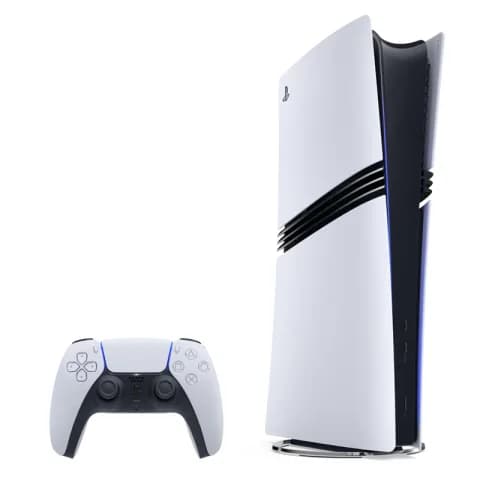 Most wanted
PlayStation 5
$499.00
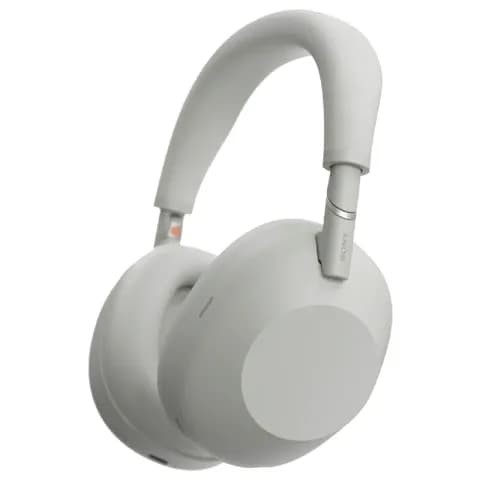 Reserved
Wireless headphones
$249.00

LEGO set
$79.00
 Reserved
Scented candle
$34.00






Works with any store you shop at











































How to make a Christmas list online
Make the list, share the link, and let your family sort out who buys what.
Add gifts from any online shop
Paste a product link and WishApp fills in the name, photo and price when the shop provides them. Gifts from different shops go on the same Christmas list.
- Works with links from any online shop
- Type in a wish by hand if it has no link
- As many lists and wishes as you like
Add a wish from any shop
Share one link with your family
Send the link by text, email or the family group chat. Anyone with the link can open your list in a browser without an account or an app.
- Opens in any browser on any phone
- No account needed to view the list
- Wishes you add later show up on the same link
Share your list
Your family reserves gifts, so nobody doubles up
When someone picks a gift, they reserve it, and everyone else sees it's taken. Reservations are hidden from you by default, so your presents stay a surprise. You can turn that off in the list settings.
- Reserved gifts show as taken to everyone else
- Hidden from you by default
- Reserving takes a free account
Try the gift-giver view
Gift-givers see and make reservations, so they can coordinate
 Reserved
Apple Watch Series 11
$399.00

adidas Originals SAMBA OG
$150.00
A Christmas list app for your phone and browser
Keep your list on your phone, and save gifts the moment you find them in a web shop.
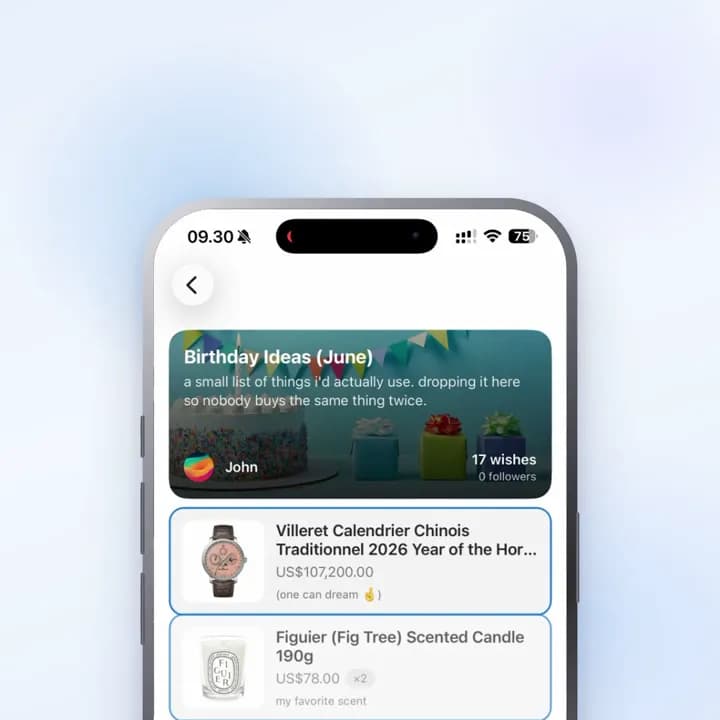
iPhone and Android app
Add wishes, share your list and see the lists you follow, all from your phone.
Why make your Christmas wishlist on WishApp
A list on paper or in a group chat can't tell your aunt that the scarf is already taken. WishApp can.
- One link for the whole family
- Send it once. Everyone opens the same list, and new wishes appear on it as you add them.
- No double gifts, no spoiled surprise
- Your family reserves what they'll buy. By default you can't see what's reserved, so Christmas morning still surprises you.
- Add from any shop
- Paste a product link from any online store. A sweater from one shop and a book from another sit on the same list.
- Free, with no ads
- No paywall, no premium tier and no ads. Make a list for every person and occasion you need.
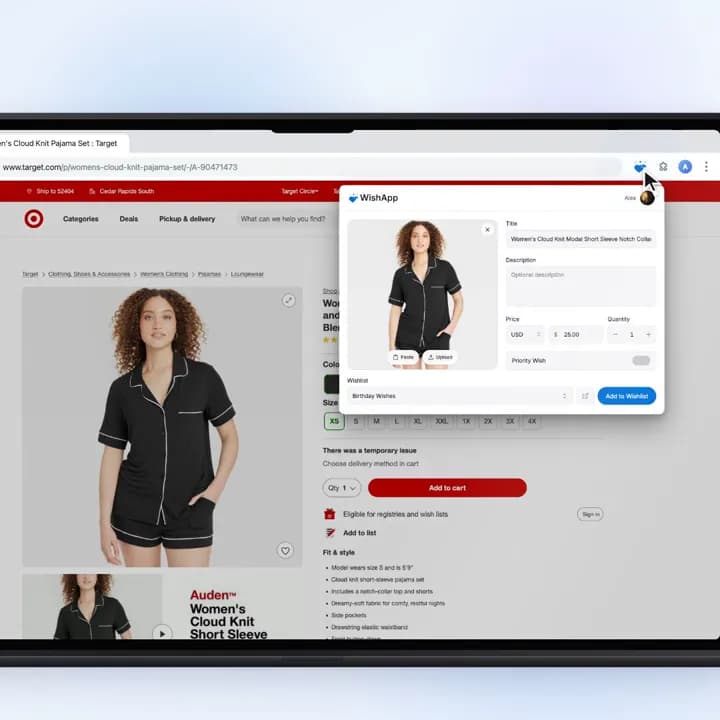
- App, web and browser extension
- Use the iPhone or Android app, any web browser, or the browser extension for Chrome, Firefox or Safari (through the Mac app) to save gifts while you shop.
- Everyone's lists in one place
- Follow each family member's list and find them all under Following when it's time to shop.

Drawing names this year?
Run a free Secret Santa next to your lists. Draw names, set a budget and keep couples apart. Everyone joins from one link, and nobody needs an account to take part.
Set up a Secret SantaQuestions about Christmas lists
On WishApp, a free wishlist app for the web, iPhone and Android. Making lists, adding gifts, sharing and reserving cost nothing. There are no ads and no paid plan, and you can make as many lists as you need.
Create a free WishApp account, start a list and paste links to the gifts you want, or type a wish by hand. Then share the list's link with your family by text, email or group chat. Wishes you add later show up on the same link.
Yes. Paste a product link from any online store and WishApp fills in the name, photo and price when the shop provides them. Gifts from different stores sit on one list, and you can also type in a wish by hand.
On WishApp, family members reserve the gift they plan to buy, and everyone else sees it as taken. Reservations are hidden from you by default, so you don't know what you're getting. You can turn that off in the list settings.
No. Anyone with the link can open your shared list in a browser without an account or the app. To reserve a gift, they create a free account so the reservation is saved.
Yes. WishApp has a free Secret Santa generator. Draw names, set a budget and keep couples apart. Everyone can see the wishlist of the person they drew, if that person has attached a shared one.
Send your Christmas list as one link
Add gifts from any shop. Family reserves in secret, so nobody buys the same thing.

4.9(1,000+ reviews worldwide)