

Skip to content

Oh My Wishes vs. WishApp (2026 Comparison)

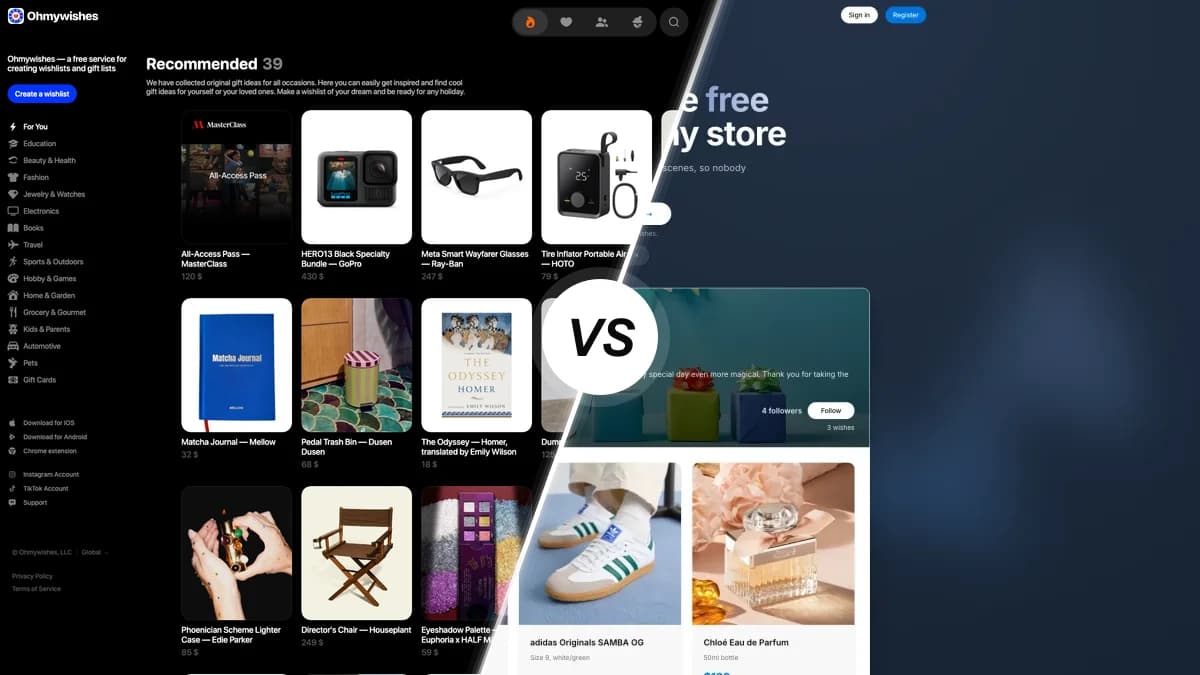
Oh My Wishes compared with WishApp, two wishlist apps side by side

Oh My Wishes is the social wishlist app that dominates the Russian market, with a friends feed, birthday reminders and a deep Secret Santa game. How does it compare with WishApp on price, devices, ads and the way you actually add gifts?

Last updated: June 2026

Looking for an Oh My Wishes alternative? Oh My Wishes is a polished social wishlist app with a strong Secret Santa, but it has no browser extension, shows ads on Android and expires reservations after 90 days. WishApp is free, has no ads on any platform, and reservations never expire. Among Oh My Wishes alternatives, WishApp gets our vote.

Feature comparison

The rows show each app as it works today. Oh My Wishes is ahead in a few places, and those are marked too.

FeatureOh My WishesWishApp
Pricing & value
Free for users, no subscriptionFreeFree forever
No ads anywhereAds on AndroidNo ads
Unlimited lists and itemsUnlimitedUnlimited
Platforms & devices
iPhone and Android appsiOS + AndroidiOS + Android
Polished tablet and iPad layoutsiPhone-only designiPad + tablet
Native macOS appRuns on M1 MacPurpose-built
Browser extensionsNoneSix browsers
Raycast quick-addNoYes
Sharing & privacy
Friends view and reserve from one linkPhone/email codeYes
Hidden reservations (owner cannot see)YesYes
Reservations never expire90-day limitNo expiry
QR code per wishlistNot offeredYes
Gifting & social features
Secret Santa / gift exchangeYesBuilt in
Large-group draw (1,000 players, wish cards, delivery address)Up to 1,000 playersSmaller groups
Friend feed and birthday remindersBuilt-inFollows only
Collaborative lists (co-managers)NoYes
Received archive with giver notesArchive, no notesYes
Merchant store pluginWooCommerceNone
Ease of use
Add from any store by pasting a linkBreaks on some storesReliable auto-fill
Save a product in one click while browsingCopy-paste URLsYes
Same experience on Android as iOSAndroid lagsParity

How they differ

Pricing and ads

Both apps are free and have no subscription tier. What separates them is ads. WishApp has none on any platform and makes its money from affiliate links. Oh My Wishes is free too, but its Android app carries ads, and on every platform brands pay to place products in its editorial gift-idea feed. The iOS app is cleaner, so your experience depends on which device you use most.

Platforms and devices

Oh My Wishes covers web, iPhone and Android, plus a WooCommerce plugin for store owners. That's a solid spread, but WishApp goes further, with iPhone, iPad, Android phone and tablet, a purpose-built macOS app, six browser extensions (Chrome, Edge, Firefox, Opera, Brave, Safari) and Raycast. Oh My Wishes has no personal browser extension at all. Its iOS app runs on a Mac only through Apple Silicon compatibility, not as a real desktop app.

Sharing, privacy and reservations

Both apps get the core right. You share a list with one link, friends view it without signing up, and reservations stay hidden so the recipient never sees who claimed what. Oh My Wishes even lets non-users reserve with a quick phone or email code. The problem is its 90-day reservation expiry. It silently cancels claims made well ahead of a birthday, and two people can end up buying the same gift. WishApp reservations never expire, and each list gets a QR code. On privacy, WishApp is based in Denmark, built around GDPR and sells no data. Oh My Wishes is run from Russia.

Gifting and social features

Both apps run a Secret Santa, so either handles a gift exchange. Oh My Wishes goes further on scale, with link invites, up to 1,000 players, wish cards and a field for your delivery address. It also has a real social side: a friends feed, follows, and birthday reminders that nudge you before the day. WishApp's social features stop at follows. In return it has collaborative lists you manage together and a received archive that remembers who gave what.

Ease of use and adding items

Oh My Wishes looks great. A professional designer made it, and reviewers keep praising its clean iOS look. Adding items is harder. You paste a URL and it tries to fill in the title, image and price, but the scraper breaks on big stores like Wildberries, and there's no browser extension for saving things while you shop. WishApp reliably reads almost any product link, or saves it in one click from the extension, and Android works the same as iPhone.

Who should use which?

Choose Oh My Wishes if…

  • Your friends are already on it, so the friend feed, follows and birthday reminders actually have people to connect to.
  • You run a big Secret Santa and want link invites, up to 1,000 players, wish cards and a delivery-address field.
  • You're in Russia or the CIS and want VK login plus an app that is the established default in that market.
  • You run a WooCommerce store and want to embed an 'Add to Oh My Wishes' button on your product pages.

Choose WishApp if…

  • You want no ads on any device, not just on iPhone, and a list you can read on iPad, an Android tablet or a real Mac app.
  • You add gifts while browsing and want a one-click extension on Chrome, Edge, Firefox, Opera, Brave or Safari.
  • You book gifts months ahead and don't want a 90-day expiry cancelling your reservation behind your back.
  • You shop at lots of different stores and want link auto-fill that works, collaborative lists, and a privacy-first app built for GDPR.

Oh My Wishes FAQ

50,000+ people already making wishlists

Start your free wishlist from any store

Create your first wishlist in under 60 seconds. Free forever, no ads.

Create my wishlist →
No duplicate gifts Friends reserve in secret Works with any store